WordPress plugin
Arctic Security
Hide the tell-tale signs of WordPress, lock down the login, harden the server and keep an eye on everything that happens. One plugin, with a recovery URL so you can never lock yourself out.
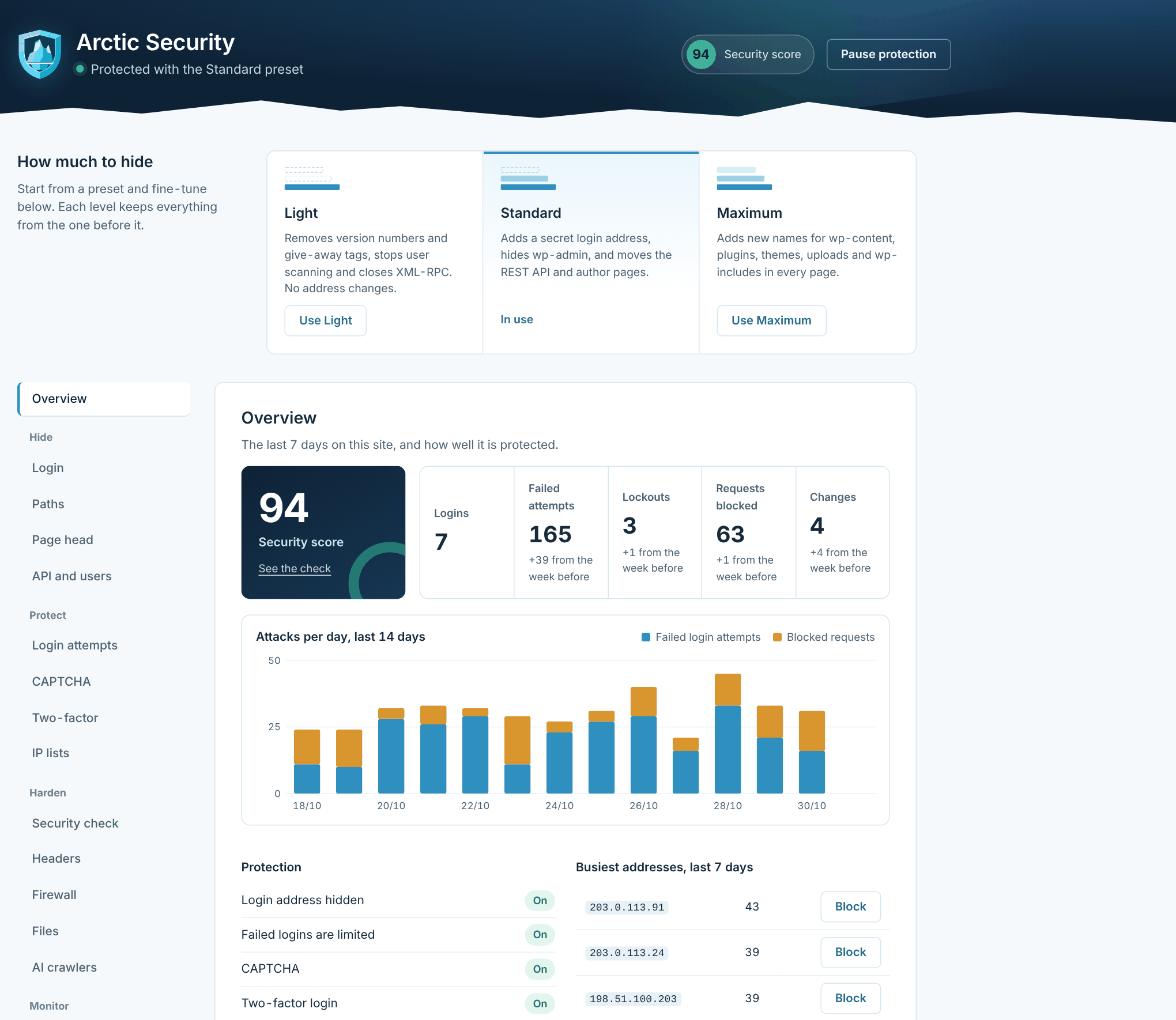
Four layers of protection
Hide, protect, harden and watch
Hide WordPress
Bots look for /wp-login.php, version numbers and user names. Arctic Security takes those clues away.
Protect the login
Lockouts, CAPTCHA, two-factor login, password rules and IP lists stop password guessing before it gets anywhere.
Harden the site
Security headers, CSP, HTTPS redirect, a firewall and locked-down files, checked by a score from 0 to 100.
Watch and report
An activity log, a daily file check, e-mail alerts and a weekly summary, so you know what happens on your site.
Get started
Up and running in four steps
After activation you find everything under Arctic Security in the WordPress menu. Every setting is explained in the guide.
Install
Go to Plugins → Add New → Upload Plugin, choose the zip file you downloaded and click Install Now.
Activate
The plugin starts on the Light preset, which never changes an address. Nothing on the site breaks.
Save the recovery URL
Copy the recovery URL from the Recovery tab into your password manager. It gets you back in, whatever happens.
Pick a level
Choose Light, Standard or Maximum, then run the security check and fix what is left with one click.
Hide WordPress
Bots find nothing to aim at
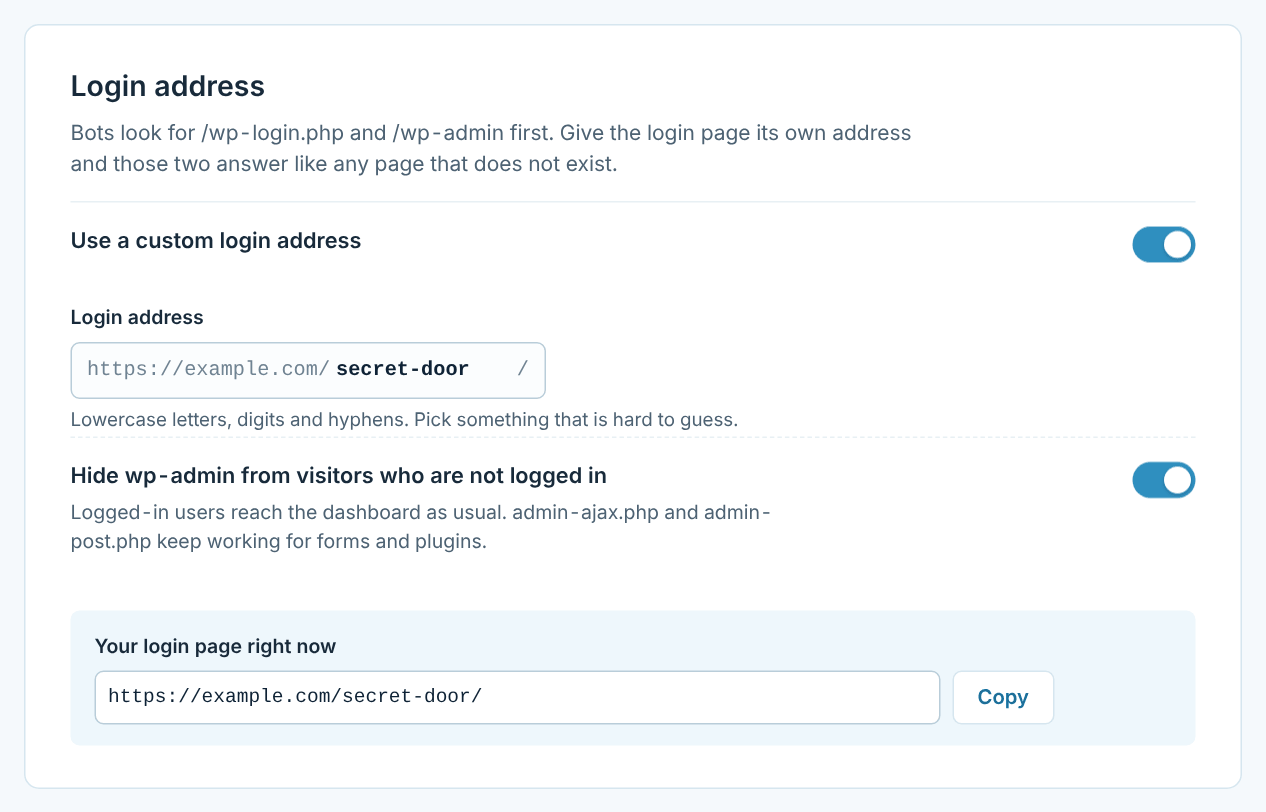
Most attacks are automated. Scripts look for the login page, version numbers and user names, and move on when they find nothing. Choose a preset, or switch each part on and off yourself.
- The login page moves to your own address; /wp-login.php and /wp-admin show your theme’s 404 page
- New names for wp-content, plugins, themes, uploads and wp-includes in every page
- Version numbers, generator tag, RSD, emoji scripts and HTML comments removed
- REST API moved, user list closed, author scans stopped and XML-RPC switched off
- Server rules written to .htaccess and tested before they are used; Nginx rules ready to copy
Login security
Password guessing stops working
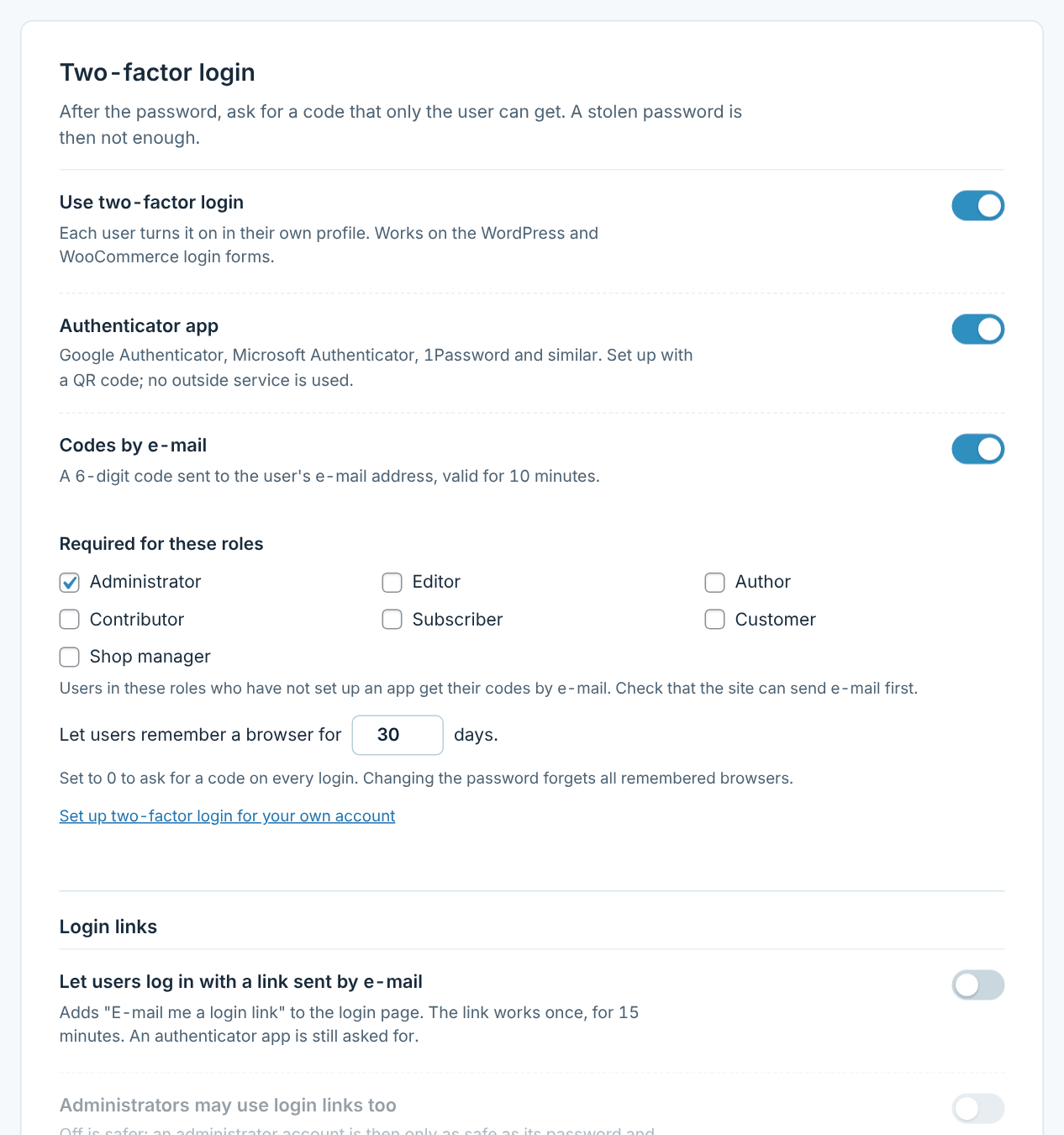
Even if someone knows a user name, they do not get far. Every layer works on the WordPress login and on the WooCommerce forms.
- Lockouts after too many failed attempts, with your own message
- Math question or Google reCAPTCHA v2 and v3 on login, registration and lost password
- Two-factor login with an authenticator app or e-mail codes, backup codes and “remember this browser”
- Optional login links by e-mail
- IP allowlist and blocklist, with single addresses and ranges
Security check
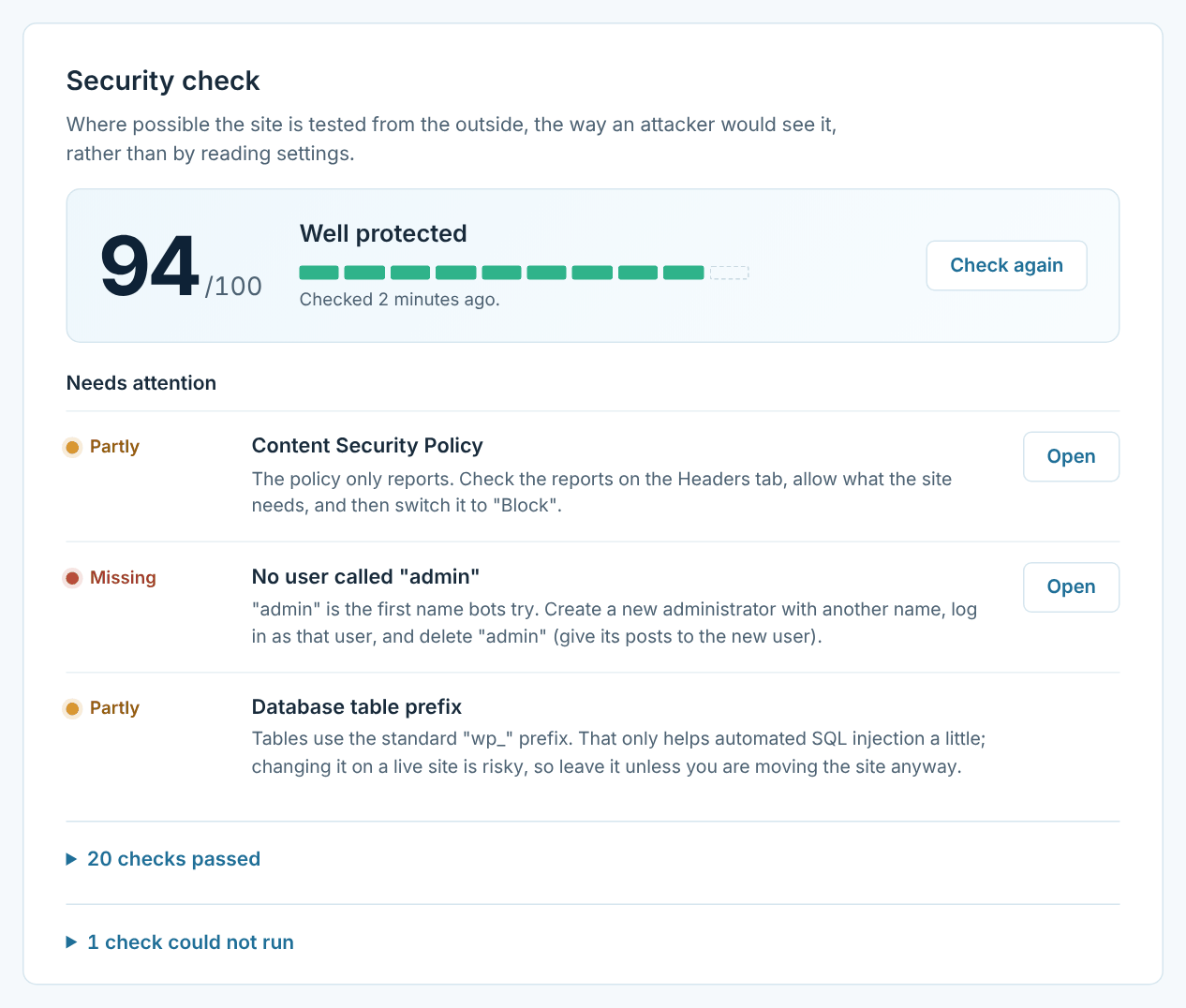
A score from 0 to 100, and fixes with one click
The check tests your site from the outside, the way an attacker sees it, and explains every point in plain words. Fixes that are safe are one click away; anything that changes an address is left to you.
- HTTPS, updates, PHP version, two-factor login and user names
- Security headers, CSP, firewall and HTTPS redirect
- PHP in uploads, folder listings, readme.html and public debug logs
- Fix one item, or everything that is safe, in one go
Headers and HTTPS
Strict browser rules, without breaking the site
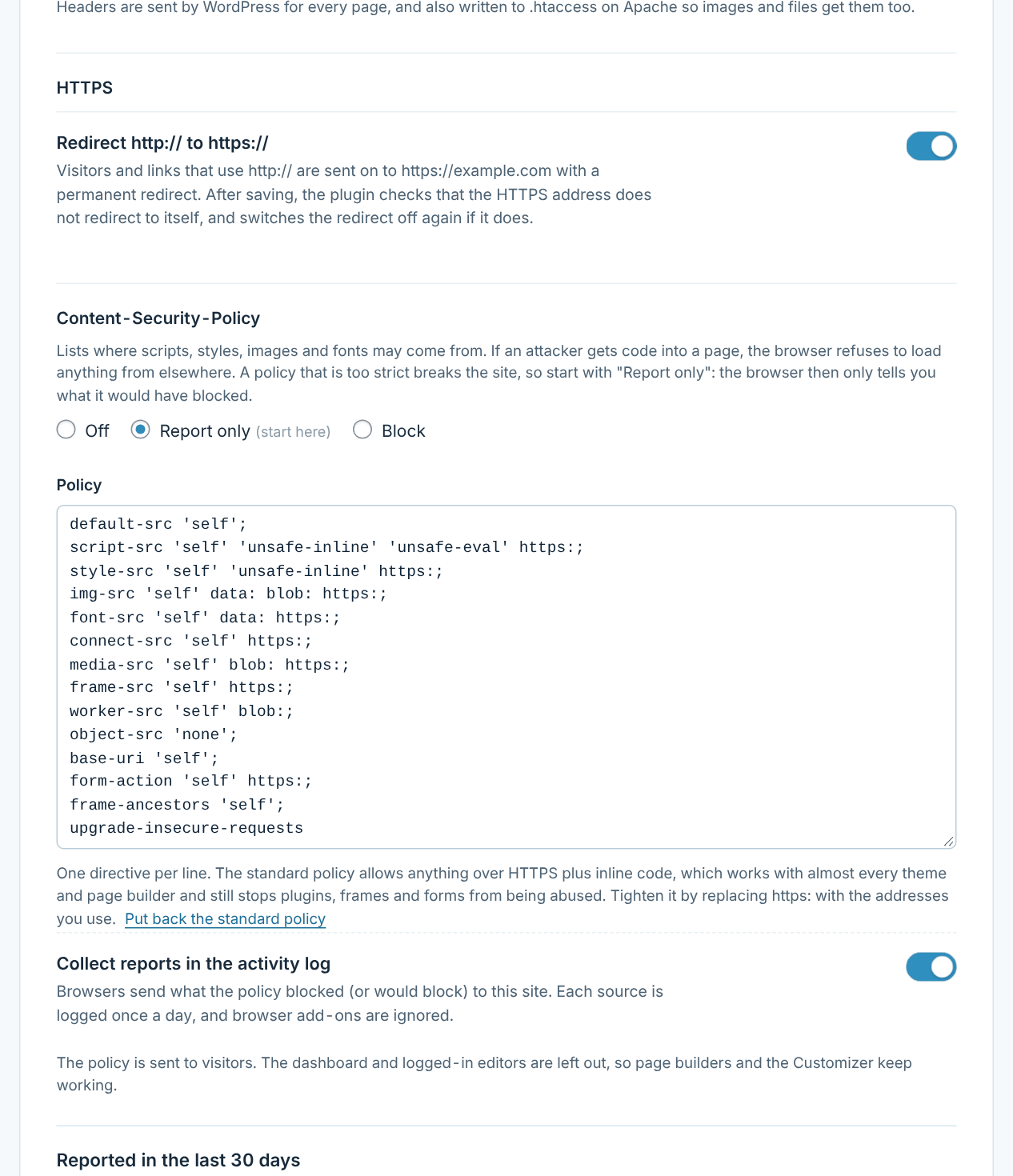
Security headers tell browsers to be careful with your pages. Content Security Policy starts in report-only mode, so you can see what would be blocked before anything is – and in strict mode, only the scripts your site prints itself are allowed to run.
- X-Content-Type-Options, X-Frame-Options, Referrer-Policy, Permissions-Policy and HSTS
- Cross-Origin-Opener-Policy and Cross-Origin-Resource-Policy
- Content Security Policy with reports in the activity log and one-click “Allow” for reported sources
- Strict scripts: a new nonce on every page instead of 'unsafe-inline' and 'unsafe-eval', so injected scripts never run
- Redirect from http:// to https://, with protection against redirect loops
- X-Powered-By removed, so the PHP version stays private
Activity log
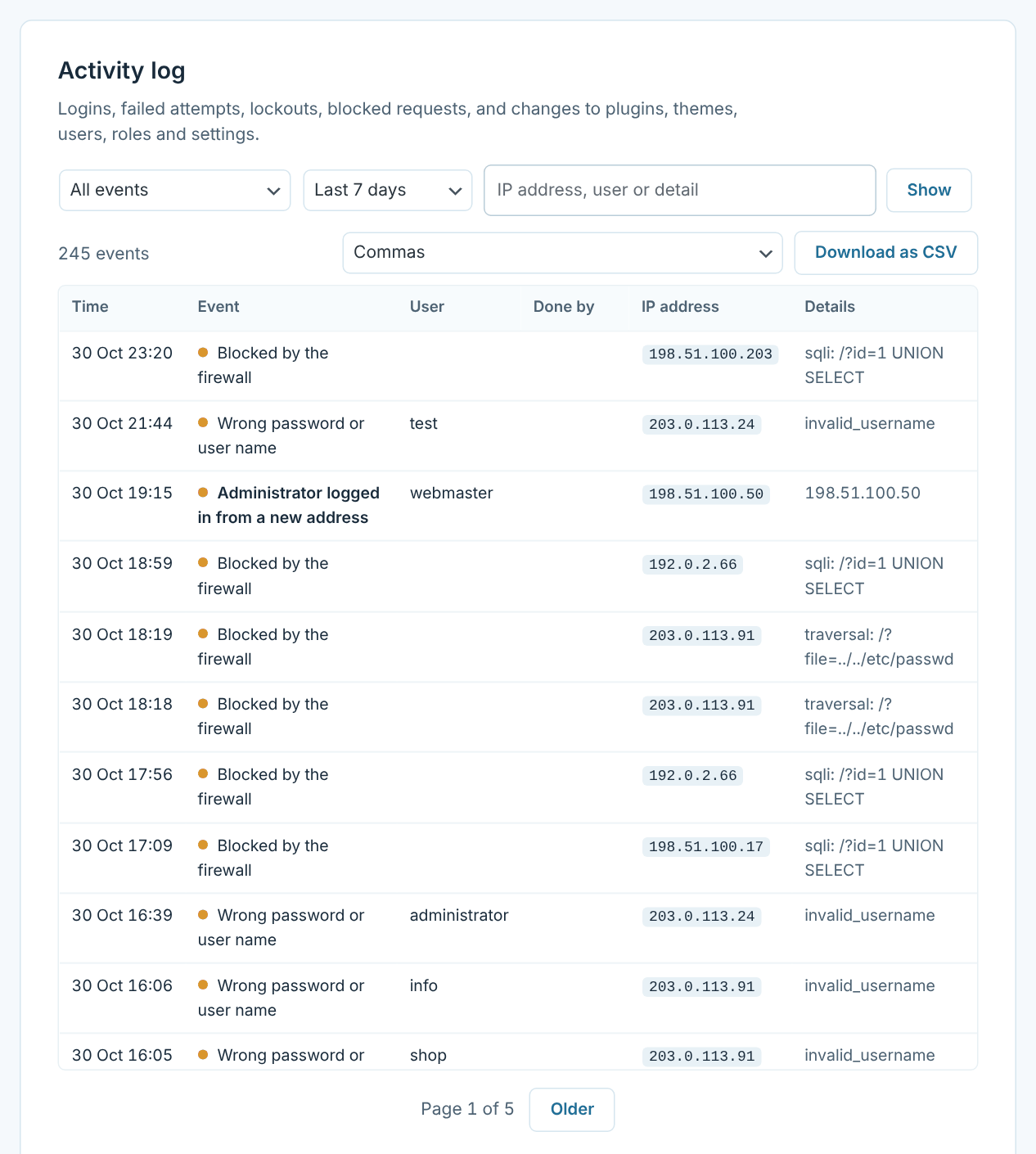
See who did what, and when
Every login and every change is written down: what happened, to whom, from which address and who did it, also when it was done with WP-CLI.
- Logins, failed attempts, lockouts and blocked requests
- Changes to plugins, themes, users, roles and settings
- Filter by kind, period and text
- Download as CSV, ready for Excel
- Keep events for 30 days up to a year
Alerts
Hear about it when it matters
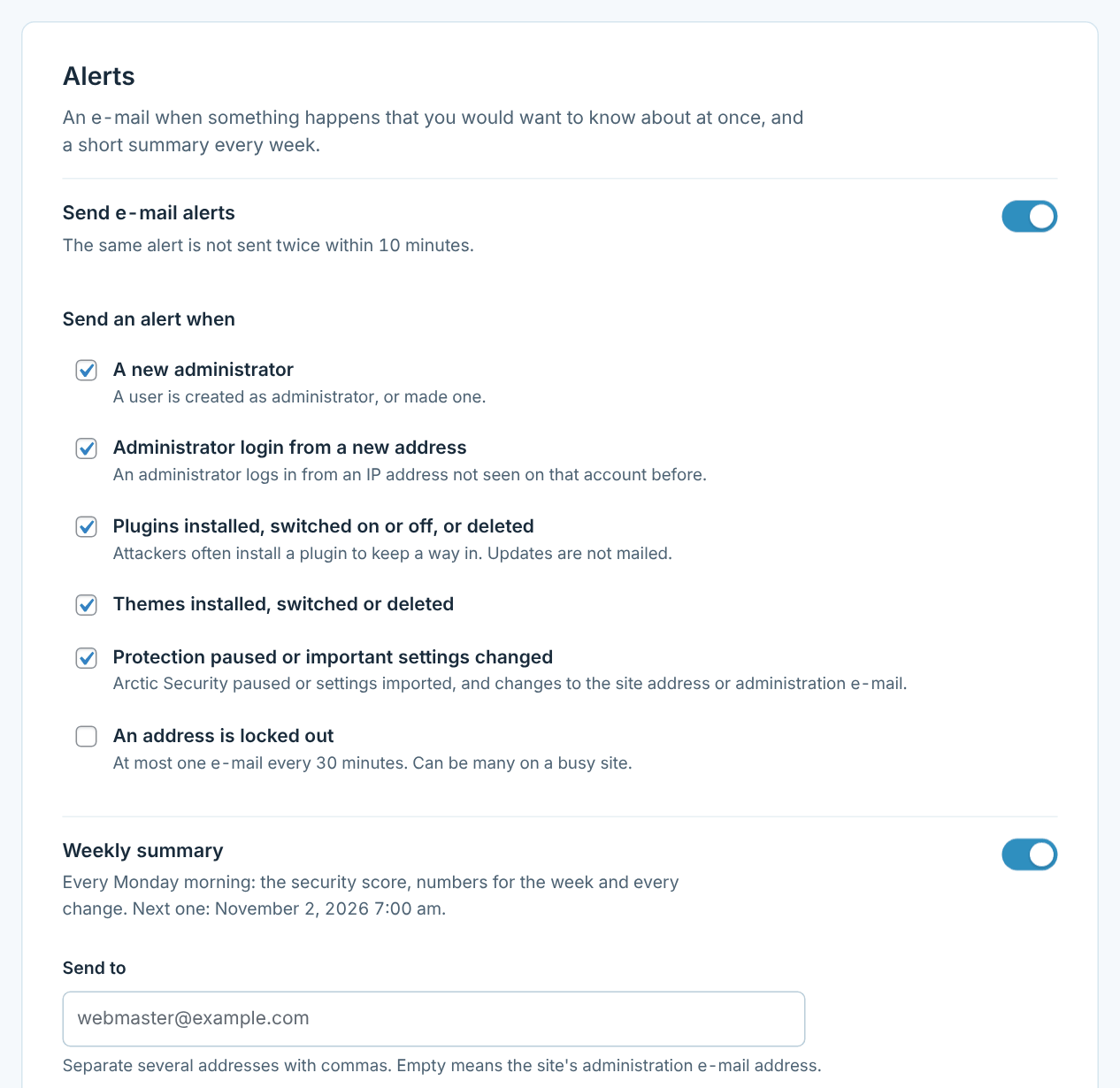
An e-mail when something happens that you would want to know about at once, and a short summary every Monday morning.
- A new administrator, or an administrator logging in from a new address
- Plugins and themes installed, switched or deleted
- Protection paused or important settings changed
- Weekly summary with the score, the numbers and every change
- The same alert is never sent twice within 10 minutes
File check
Notice a break-in the same day
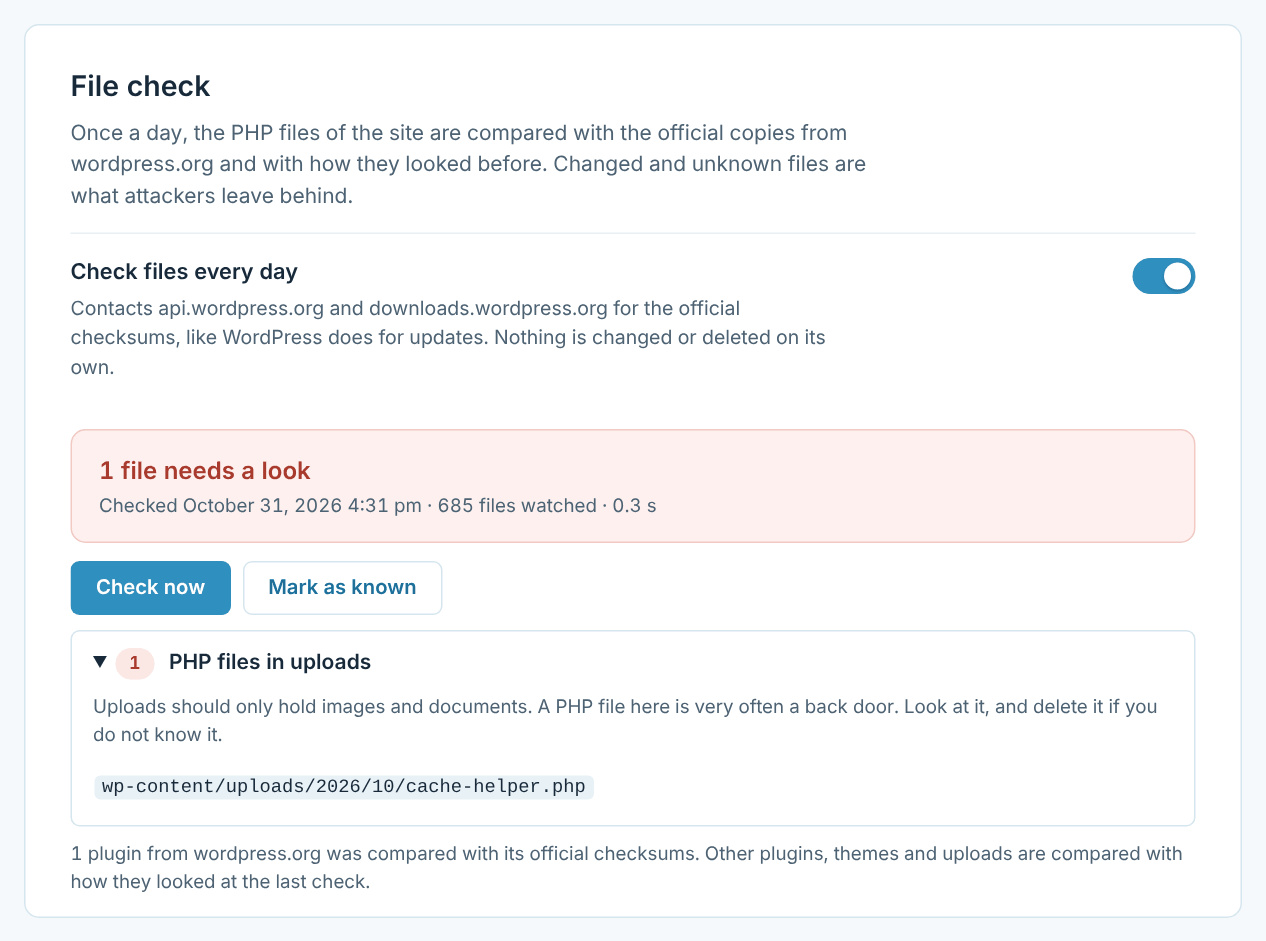
Once a day every PHP file is checked. WordPress itself and plugins from wordpress.org are compared with their official checksums, and everything else with how it looked last time.
- Changed WordPress files and files that do not belong there
- PHP files hidden in the uploads folder
- New or changed files in plugins, themes and must-use plugins
- Updates through WordPress are trusted automatically
- An alert as soon as something new turns up
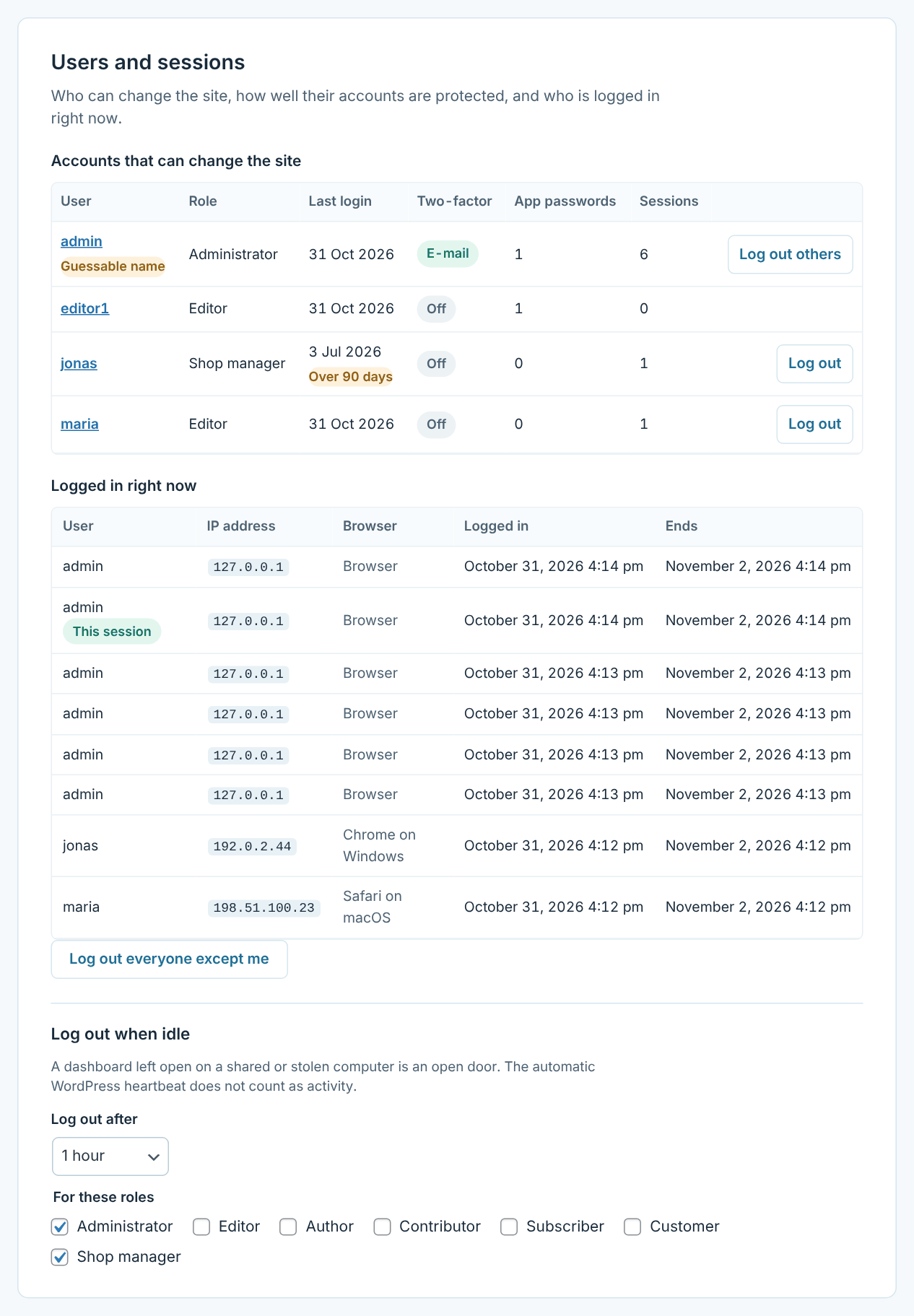
Users and passwords
Every account that can change the site, at a glance
See who can change the site, when they last logged in, and who is logged in right now. Weak and leaked passwords are refused before they become a problem.
- Minimum length for administrators and other roles you choose
- Passwords from known data breaches refused, without sending the password anywhere
- Application passwords only for those who need them
- Accounts not used for 90 days and guessable names marked
- Log out one user, everyone, or anyone who is idle too long
Scan guard
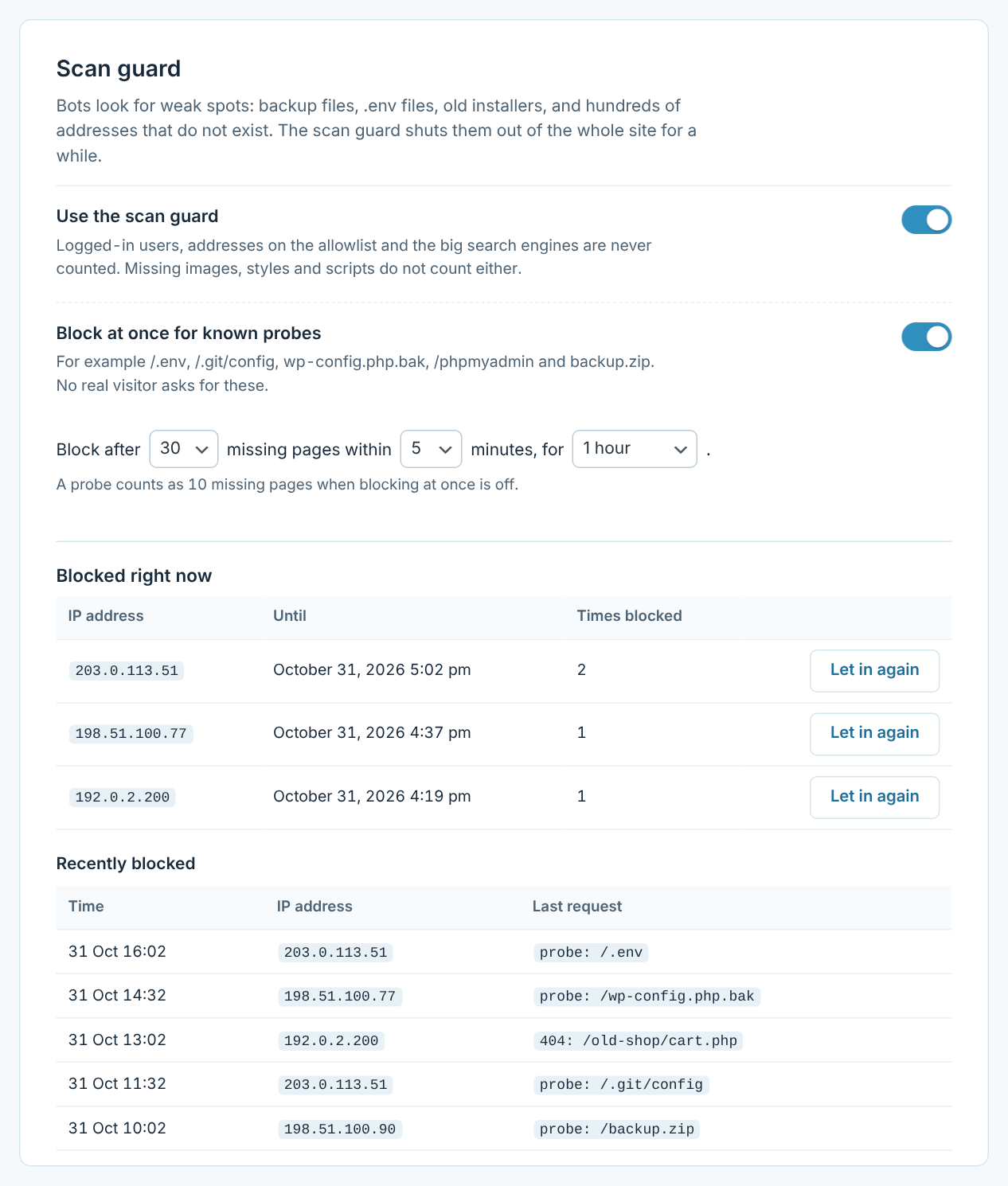
Scanners get shut out of the whole site
Bots that look for .env files, .git folders, backups and old installers, or run into dozens of missing pages, are blocked for a while.
- Known probe paths block an address at once
- Too many missing pages in a few minutes block it too
- Logged-in users, the allowlist and search engines are never counted
- Missing images, styles and scripts never count
- Every block in the activity log, with one-click release
On the login page
Two quick steps for you, a wall for bots
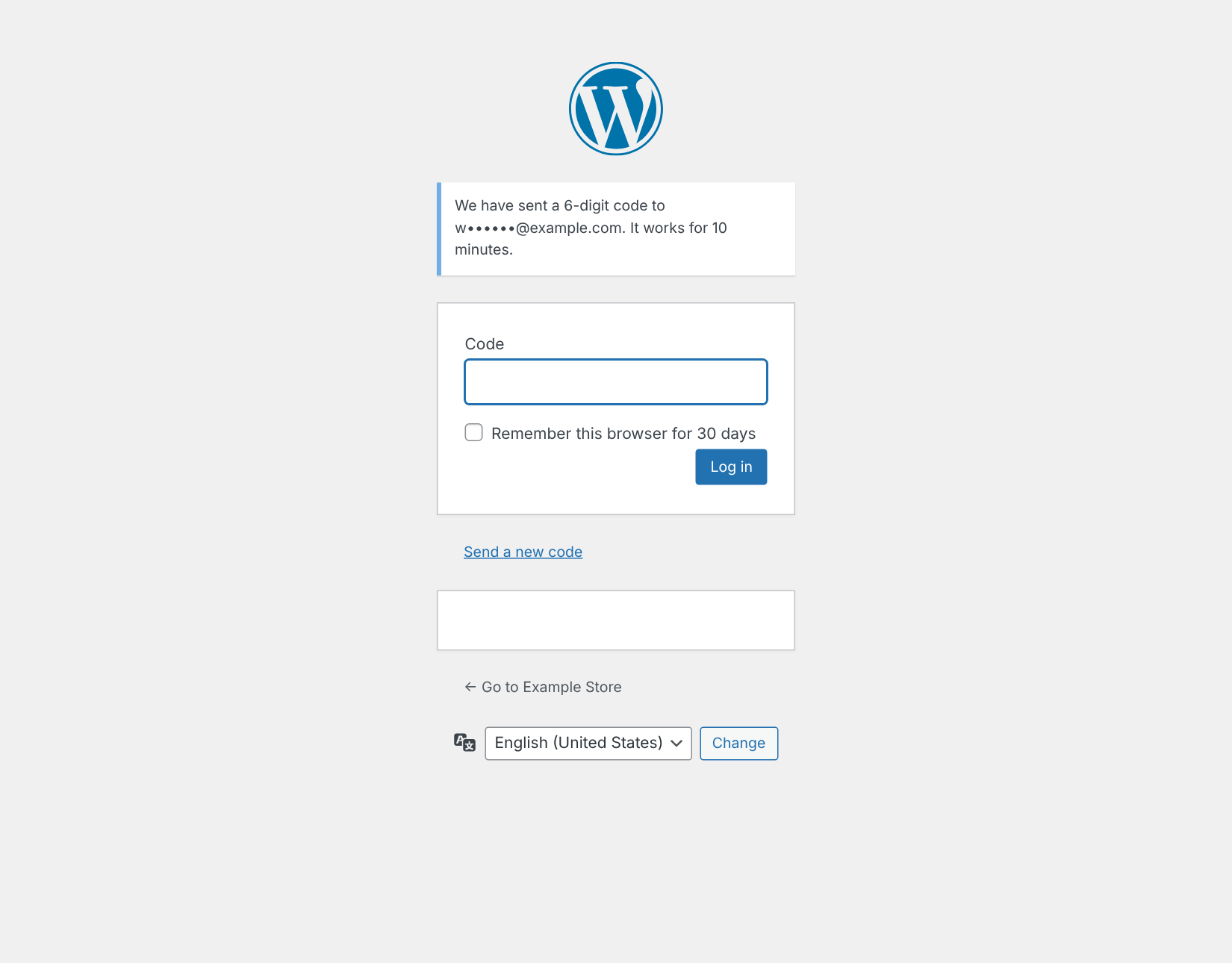
Visitors answer a small question instead of puzzling over pictures, and administrators confirm the login with a code. Everything is in the site’s own style and language.
- A math question that needs no outside service
- A 6-digit code from an app, or sent by e-mail
- Remember a trusted browser for up to 30 days
WooCommerce
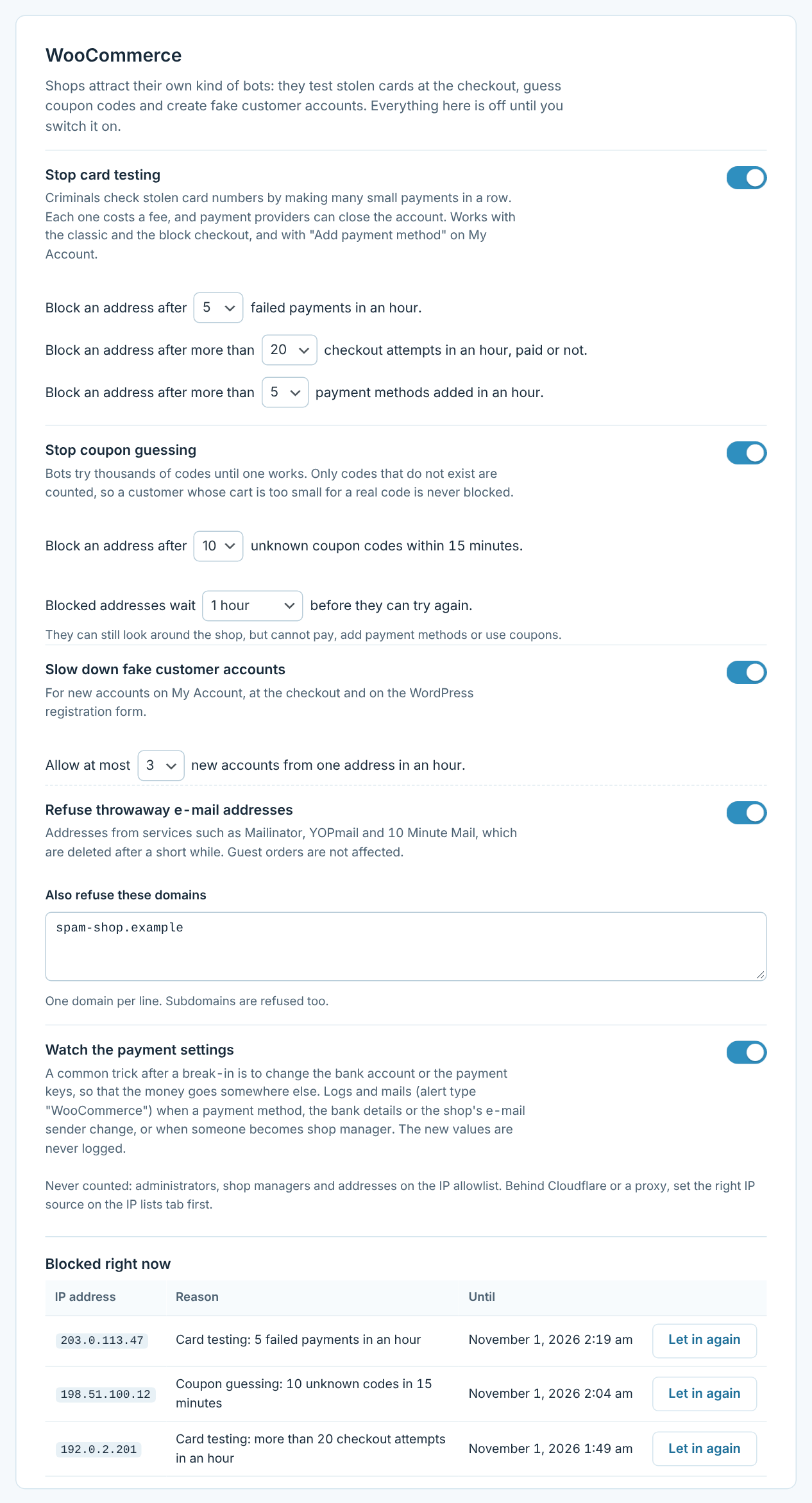
Card testers and coupon guessers get nowhere
Shops attract their own kind of bots. A separate WooCommerce tab, shown only when WooCommerce is active, stops them – and every part is off until you switch it on.
- Card testing stopped at the classic and block checkout, and on “Add payment method”
- Coupon guessing stopped – blocked addresses cannot even learn whether a code exists
- Fake customer accounts slowed down, and throwaway e-mail addresses refused
- Payment methods, bank details and new shop managers watched, without logging the values
- Blocked addresses can still browse, and get a clear message instead of a silent failure
And more
Small things that add up
Firewall
Refuses typical SQL injection, XSS and file attacks before WordPress even loads.
AI crawlers
Ask AI crawlers to stay away in robots.txt, or block them outright.
Locked-down files
No PHP in uploads, no folder listings, no readme.html and no code editor in the dashboard.
Import and export
Copy every setting to another site as a file, and undo an import if you change your mind.
Emergency lockdown
One click shuts the dashboard to everyone but you and the allowlist, while the shop stays open.
New security keys
Write new keys to wp-config.php, so every stolen login cookie stops working at once.
Log out when idle
Administrators who walk away from the dashboard are logged out after the time you choose.
WooCommerce ready
Card testing and coupon guessing stopped, fake accounts slowed down, and CAPTCHA and two-factor login on My Account.
English and Danish
Every screen is translated, and the plugin is ready for more languages.
Locked out? There is always a way back
Every site gets a secret recovery URL that pauses all protection with one click and e-mails you when it is used. Or add define( 'ARCTIC_SECURITY_DISABLE', true ); to wp-config.php, and the plugin switches itself off completely.
Frequently asked questions
Open the recovery URL from the Recovery tab (or from the e-mail you got when the login address changed). It pauses all protection and opens /wp-login.php again.
No recovery URL? Add this line to wp-config.php, above “That’s all, stop editing”:
define( 'ARCTIC_SECURITY_DISABLE', true );
Log in at /wp-login.php, check your settings and remove the line again.
New versions show up on the Plugins and Updates screens in WordPress like any other update, with “View details”, “Update now” and automatic updates. WordPress checks wparctic.com about twice a day; only the plugin name is sent, not your site’s address.
Yes. If Arctic Login hides the login page, Arctic Security shows a warning and leaves the login address to Arctic Login, so the two never lock you out. Everything else in Arctic Security works as normal.
It starts on the Light preset, which never changes an address. Every change to .htaccess is tested at once and taken back if the server answers with an error, and renamed paths are only used after a test request shows the server rule works.
Yes. Everything that runs in PHP works on any server. Rules that belong in the server (renamed paths, file protection) are shown ready to copy into your Nginx configuration.
Yes. CAPTCHA and two-factor login also work on the My Account forms, and front-end login links go to My Account, so pages never show your secret login address. The WooCommerce tab, shown only when WooCommerce is active, adds protection against card testing, coupon guessing and fake customer accounts, and watches the payment settings. Everything on it is off until you switch it on.
Nothing about your visitors. The file check fetches the official checksums from wordpress.org, and the breached password check sends only the first 5 characters of a hash to Have I Been Pwned – never the password. Google reCAPTCHA is only contacted if you choose it, and alerts are sent with your site’s own e-mail.
Not yet. Use it on single sites.
Requirements
- WordPress 6.2 or newer
- PHP 7.4 or newer
- Apache, LiteSpeed or Nginx, single site
Changelog
1.7.1 · 1 November 2026
Updates from wparctic.com: new versions show up on the Plugins and Updates screens with “View details”, “Update now” and automatic updates.
1.7.0
New WooCommerce tab, off by default: protection against card testing and coupon guessing, limits and throwaway address checks for new customer accounts, and a watch on payment settings, bank details and shop managers.
1.6.0
Strict scripts for the Content Security Policy: a nonce on every page instead of ‘unsafe-inline’, eval() off unless chosen, and event handlers from the theme and plugins allowed one by one.
1.5.0
Password rules with a check against known data breaches, control over application passwords, users and sessions with idle logout, scan guard, a daily file check, and emergency tools: lockdown, log everyone out and new security keys.
1.4.1
“Guide” links on the Plugins screen and on the settings page, opening the part of the guide for the current tab.
1.4.0
Redirect from http:// to https://, Content Security Policy with reports, and Cross-Origin-Opener-Policy and Cross-Origin-Resource-Policy headers.
1.3.0
Overview, activity log, CSV export, e-mail alerts, weekly summary and import/export of settings.
1.2.0
Security headers, firewall, locked-down files, AI crawler blocking and the security check with one-click fixes.
1.1.0
Login security: lockouts, CAPTCHA, two-factor login, login links and IP lists.
1.0.0
First version: hide WordPress, custom login address, renamed paths, presets and recovery URL.
Make your site a harder target
Install Arctic Security, pick a level, and let the security check show you the rest. Need help? Read the guide.